From Followers to Customers: How Creators Build a Simple Funnel Using One Bio Link
Followers don't pay your rent — customers do. Here's the exact 4-step funnel creators are using to turn casual scrollers into buyers, all from a single, well-built link in bio.

Most creators have a counting problem. They count followers. They count likes. They count views. And then they wonder why none of those numbers are showing up in their bank account. The truth no one says out loud: an audience is not a business. A funnel is. And the smallest, fastest, most overlooked funnel a creator can build lives behind one URL — the link in your bio.
You don't need a website. You don't need a course platform, a CRM, an email tool, or a six-figure launch. You need four steps in the right order, all stitched together by a single bio link. This guide walks through the exact funnel that's quietly turning hobby accounts into real, repeatable income.
Stop thinking of your bio link as a list of things you've made. Start thinking of it as a one-page sales floor that runs 24/7 — even while you sleep, post, or take a week off.
Why a funnel beats a follower count, every time
A funnel is just a path. It takes a stranger, walks them through trust, and ends with a transaction — a purchase, a booking, a subscription, a tip. A 5,000-follower creator with a real funnel out-earns a 500,000-follower creator with no funnel almost every single time. The bigger account has more attention. The smaller account has more intention. Intention is what pays.
Your followers are renters of your attention. Your funnel is what turns them into owners of your offer.
The 4-step bio-link funnel
Every funnel — no matter how complex it looks — boils down to four moves: attract, capture, nurture, convert. The magic is that all four can live on one TinyBio page. No tech stack. No subscriptions. No engineer.
- 1Attract — get the right person to tap your bio
- 2Capture — collect their email or DM, not just their pageview
- 3Nurture — give them a reason to trust you in 48 hours
- 4Convert — make one specific, easy-to-say-yes-to offer
Step 1 — Attract: post with the link in mind
Most creators post and then think 'oh right, the link in bio.' Reverse it. Decide what your bio link is selling this week, then write content that creates curiosity for exactly that thing. A reel about 'the 3 mistakes I made my first year freelancing' should land on a bio link with a 'free freelancing starter kit' button on top — not a generic homepage.
- One offer per week — change the top button to match your current content theme
- End every post with a soft cue — 'Full breakdown lives in my bio'
- Use the same hook language in your post and on the bio button so the journey feels seamless
Step 2 — Capture: trade something small for an email
A pageview is rented attention. An email is owned attention. The single highest-leverage block on your TinyBio is an email signup tied to a real freebie — a checklist, a one-page guide, a Notion theme, a 5-minute audio. Make the trade obvious: drop your email, get the thing instantly.
Your freebie should solve one painful, specific problem in under 10 minutes. 'My 200-page brand bible' is not a lead magnet. 'The Instagram caption hooks I use every Monday' is.
Step 3 — Nurture: trust before you sell
The biggest mistake creators make is asking for the sale on day one. Use your bio link to set up the trust handoff. Pair the lead magnet with a 3-email welcome sequence — story, value, soft offer. By the time you ask for money, the reader already feels like they know you. TinyBio's email signup block can pipe new subscribers straight into the email tool you already use.
- 1Email 1 — deliver the freebie + a 60-second story about why you made it
- 2Email 2 — share one specific result a customer or student got
- 3Email 3 — invite them to your paid offer with a clear, friendly CTA
Step 4 — Convert: one offer, one button, no friction
Below the lead magnet on your TinyBio, put your one paid offer of the moment — a coaching call, a digital product, a service intake form, a tip jar, a paid newsletter. Style this button differently so it visually wins. Use a verb, name the price or duration, and remove every extra click between the tap and the checkout.
- 'Book a 30-min strategy call — $79'
- 'Get the Notion theme — $19'
- 'Join the paid newsletter — $5/mo'
- 'Tip the show — pick your amount'
What a finished funnel looks like on one bio link
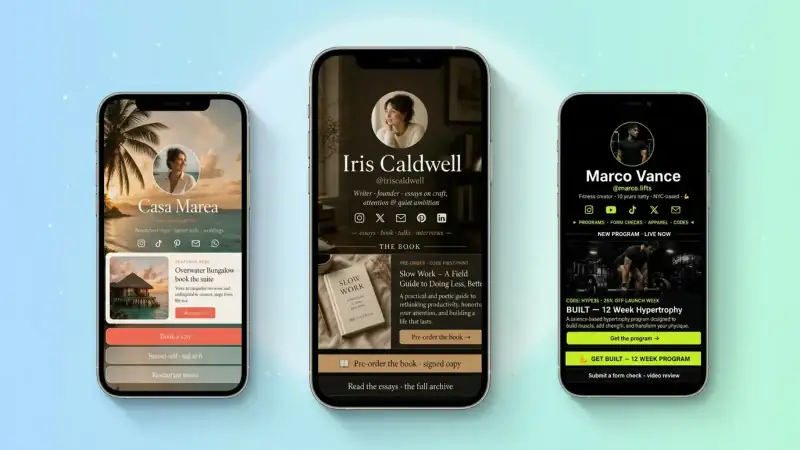
Picture the page top to bottom: clean photo, one-line bio, primary CTA button (the freebie), email signup right below it, a short 'What you'll get' bullet list, then the paid offer button, then social proof, then your other links. That's a complete funnel — attract, capture, nurture, convert — in one scroll.
How to know it's working (and what to fix first)
TinyBio's built-in analytics tell you exactly where the funnel leaks. If pageviews are high but freebie sign-ups are low, your offer isn't compelling enough. If sign-ups are high but sales are low, your nurture sequence is too soft. Look at the numbers once a week and only fix the weakest step. Funnels are won inch by inch.
Your 30-minute funnel build
- 1Decide the one offer you want to sell this month
- 2Create a tiny freebie that pre-sells it
- 3Add an email signup block on your TinyBio with that freebie
- 4Write a 3-email welcome series that ends with the offer
- 5Add the paid offer as the secondary button on your TinyBio
- 6Update your next 5 posts to drive curiosity toward the freebie
- 7Check analytics every Sunday — fix one weak spot per week
Spin up a free TinyBio page in under 2 minutes. Email signup, paid offer button, analytics, and beautiful design — everything your funnel needs lives on one link.
Build a bio link page that converts
Free, beautiful, fast. Drag, drop, share — your audience does the rest.
Create your TinyBio