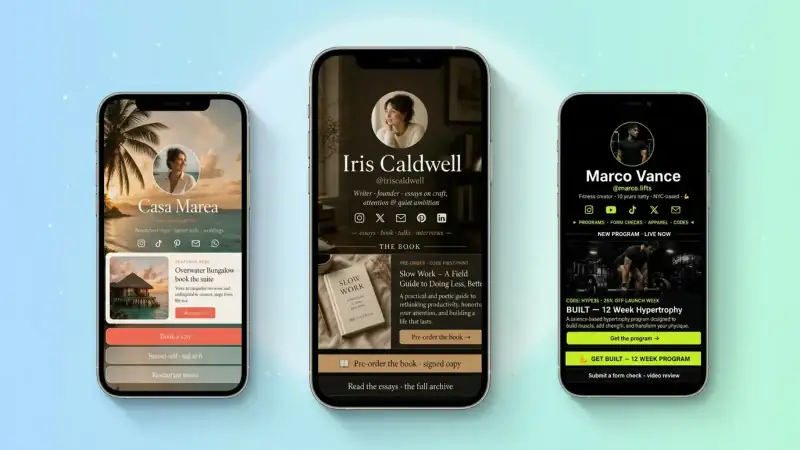
Link in Bio for YouTubers: Turn Subscribers Into a Real Business in 2026
YouTube gives you one description link and one channel banner — that's it. Here's how top YouTubers use a single link in bio page to convert subscribers into email lists, sponsors, products, and recurring income in 2026.
YouTube is the second-largest search engine on earth, but it gives you almost nowhere to send the people who actually click play. One description link. One channel banner. A pinned comment if you're lucky. Meanwhile every video earns you trust, attention, and intent — three things you can't buy with ads. The creators winning on YouTube in 2026 aren't the ones with the most subs. They're the ones who turn each click into something they own: an email, a customer, a community member, a recurring tip.
The smartest fix is also the simplest one: a single link in bio page that lives behind every video, every Short, every community post, and every channel page. One URL. Endless flexibility. This guide walks through exactly how to set yours up — what to put on it, what to leave off, and how to use it to turn a YouTube channel into a real business this year.
YouTube Shorts, podcasts, and long-form videos are now competing for the exact same description link. A bio link page lets you swap the destination per video without ever editing your channel — and gives every viewer a reason to do something other than scroll away.
Why YouTubers need a link in bio more than anyone
Instagram has Stories, swipe-ups, and shoppable tags. TikTok has a clickable bio link plus product showcases. YouTube has… a description box most viewers never expand. If you depend on people scrolling, tapping 'more', and then choosing the right link out of seven, you've already lost 90% of the click. A bio link page collapses all of those choices into one tap, then organizes the next step inside a beautifully designed mobile page — exactly where YouTube viewers already are.
- Mobile-first — 70%+ of YouTube watch time happens on phones
- One memorable URL you can say out loud in a video
- Swap the top button per video without touching your channel settings
- Track which videos actually drive clicks and conversions
Where to put your bio link on YouTube (all 6 places)
Most YouTubers use one or two of these spots. The pros use all six. Each one is a free piece of real estate already attached to your channel — you just have to claim it.
- 1Channel banner — add the URL as text directly on the artwork
- 2Channel 'About' page — first link, custom labeled
- 3Header link in your channel page (the official channel links section)
- 4Pinned top comment on every video — the highest-converting spot most creators ignore
- 5First line of every video description — above 'show more' so it's visible without expanding
- 6End screen card or QR code shown on screen for the last 5 seconds of long-form videos
Put a small QR code in the corner of your end screen. Viewers literally point their phone at the TV. It feels modern, it works on Smart TVs (where description links don't exist), and it's measurable.
What to put on your YouTuber bio link page
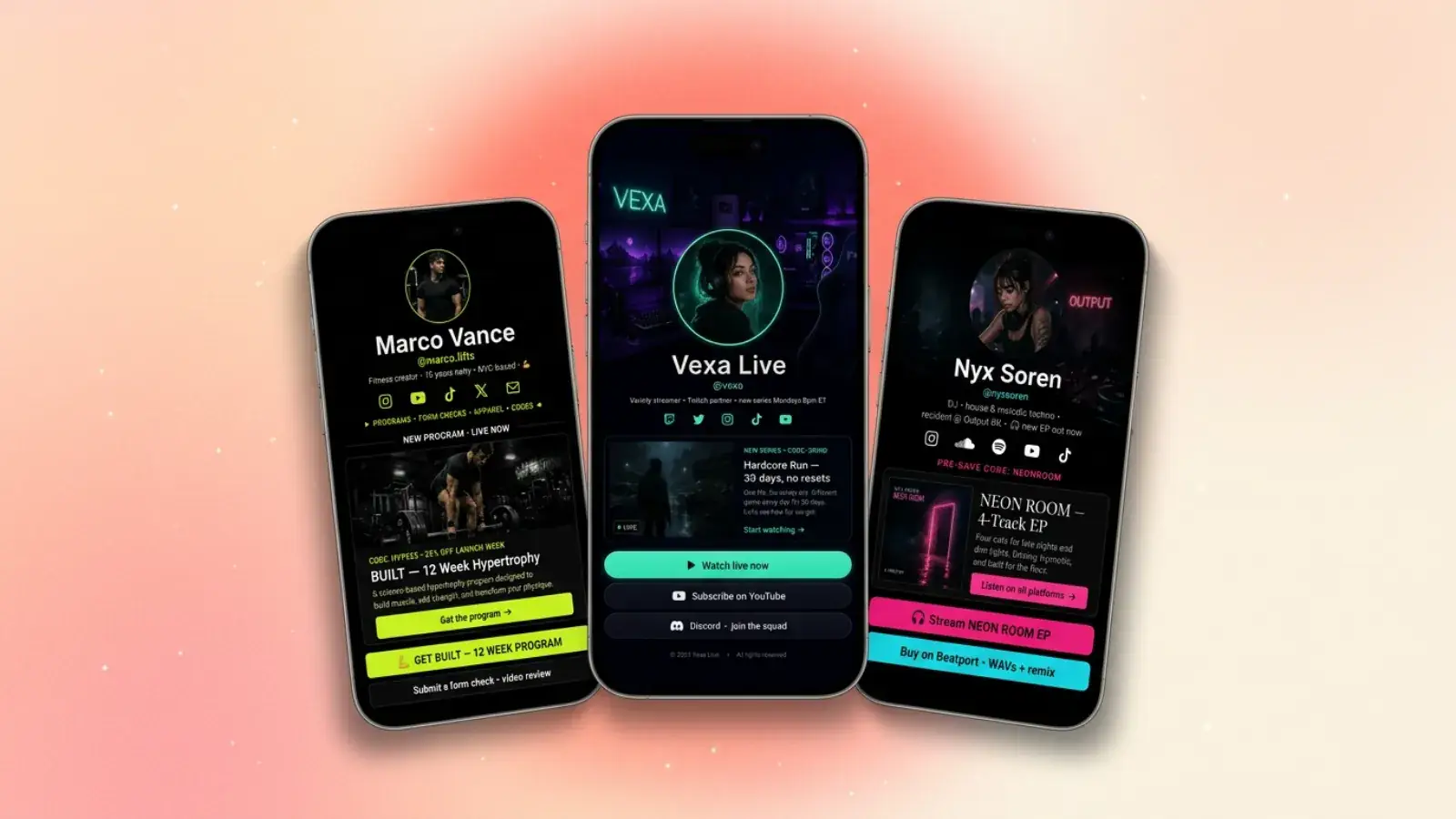
A YouTuber's bio link is not a list of social profiles. It's a backstage pass — the place fans go after they're already convinced. Build it in this order, top to bottom, and resist the urge to add anything that doesn't earn its slot.
1. The hero block — your face, your channel, your promise
A clean photo, your channel name, and one sentence that tells a brand-new viewer exactly what you make and who it's for. 'Weekly videos that help solo founders ship faster' beats 'Creator | Dreamer | Coffee lover' every time.
2. The 'currently' button — what this week's videos point to
This is the single most powerful button on the page. Whatever your latest video is about, change the top CTA to match. New video about Notion themes? Top button = 'Get the Notion themes I use'. New podcast episode with a guest? Top button = 'Listen to the full episode'. Treat your bio link like a TV channel that retunes itself every week.
3. Email capture tied to a freebie
YouTube owns your subscribers. The algorithm decides who sees your next upload. Email is the one channel where YOU decide. A simple email signup block paired with a 1-page resource — a checklist, a swipe file, a behind-the-scenes PDF — turns viewers into a list you can actually rely on, even if your channel ever stalls.
A 5,000-person email list earns more than a 500,000-subscriber channel for most creators. Why? Open rates of 30-40%, no algorithm in the middle, and the ability to pitch directly without burning trust on your channel.
4. One paid offer (and only one at a time)
A digital product, a coaching call, a course, a community, merch — pick the single most profitable thing you sell right now and give it one bold button. Multiple offers compete with each other and lower the conversion of all of them. One offer wins.
5. A social proof block
Two or three short testimonials, a notable feature ('As seen on…'), or a screenshot of a happy customer DM. Trust is the bottleneck for a first-time visitor — proof removes it in two seconds.
6. A 'find me elsewhere' row at the bottom
Small social icons — Instagram, TikTok, X, podcast — at the very bottom. Not at the top. The goal of your bio link is to deepen the relationship, not bounce visitors back to another scroll feed.
5 monetization stacks YouTubers run from one bio link
AdSense is the floor, not the ceiling. Every example below is layered on top of normal YouTube revenue and costs nothing extra to launch. Pick the one closest to your audience and start there.
- 1Education channel — free PDF → paid mini-course → 1:1 coaching
- 2Tech reviewer — affiliate gear list → email newsletter → sponsored deal of the week
- 3Lifestyle / vlog — Patreon-style community → merch drop → tip jar
- 4How-to / tutorial — Notion or Figma theme → bundle → live workshop
- 5Podcast or interview show — episode hub → email list → premium ad-free feed
Make sponsors take you seriously
Brands google you the second after they watch a video. If your bio link is a tidy, professional page with a clear audience description, a media kit link, and a 'partner with me' button — you instantly look like someone they can write a check to. If it's a wall of random links, you don't.
- A 'For brands' button that opens a 1-page media kit
- Audience snapshot — niche, country mix, age range, monthly views
- Past partners or logos (even small ones) for instant credibility
- A direct contact email or short intake form — never make a sponsor hunt for you
Sponsors don't pay for subscribers. They pay for trust, clarity, and a frictionless way to say yes. Your bio link is where all three live.
SEO bonus: your bio link is a second front door from Google
Your YouTube channel ranks for your name. Your bio link can rank too — and when it does, it gives Google a second result in the search bar, doubling the chance someone clicks through to something you actually own. Use your real name and channel name in the page title, write a clear meta description, and link to your latest videos and products from the page. Over time, branded searches send a steady, free trickle of high-intent visitors straight into your funnel. (For a deeper dive, see our guide on SEO for your TinyBio page.)
How to actually measure if it's working
TinyBio's built-in analytics show you per-block clicks, scroll depth, and visitor counts in real time. The two numbers that matter most for YouTubers:
- Click-through rate from your video description / pinned comment to your bio link
- Conversion rate from bio link visit to email signup or paid offer
If CTR is low, your call-to-action in the video is weak — say it out loud, on camera, with a reason. If conversion is low, your top button is wrong for the visitor that just arrived. Adjust one variable per week and watch which moves the needle.
Your 30-minute YouTube bio link build
- 1Create your free TinyBio page and grab a clean, easy-to-say URL
- 2Add a hero block with your channel name and one-sentence promise
- 3Add a top button that matches your latest video — change it weekly
- 4Add an email signup tied to a tiny, useful freebie
- 5Add your single best paid offer below the freebie
- 6Add 2–3 testimonials or social proof items
- 7Drop the URL in your channel banner, About page, header links, every pinned comment, and the first line of every description
- 8Generate a QR code for your end screens and Smart TV viewers
- 9Check analytics every Sunday — adjust the weakest step first
It takes under 2 minutes to spin up a TinyBio page that's ready to live in every video description. Free forever, no credit card, mobile-first by default — exactly what YouTube viewers need on the other end of the link.
Build a bio link page that converts
Free, beautiful, fast. Drag, drop, share — your audience does the rest.
Create your TinyBio